
One POS for every business.
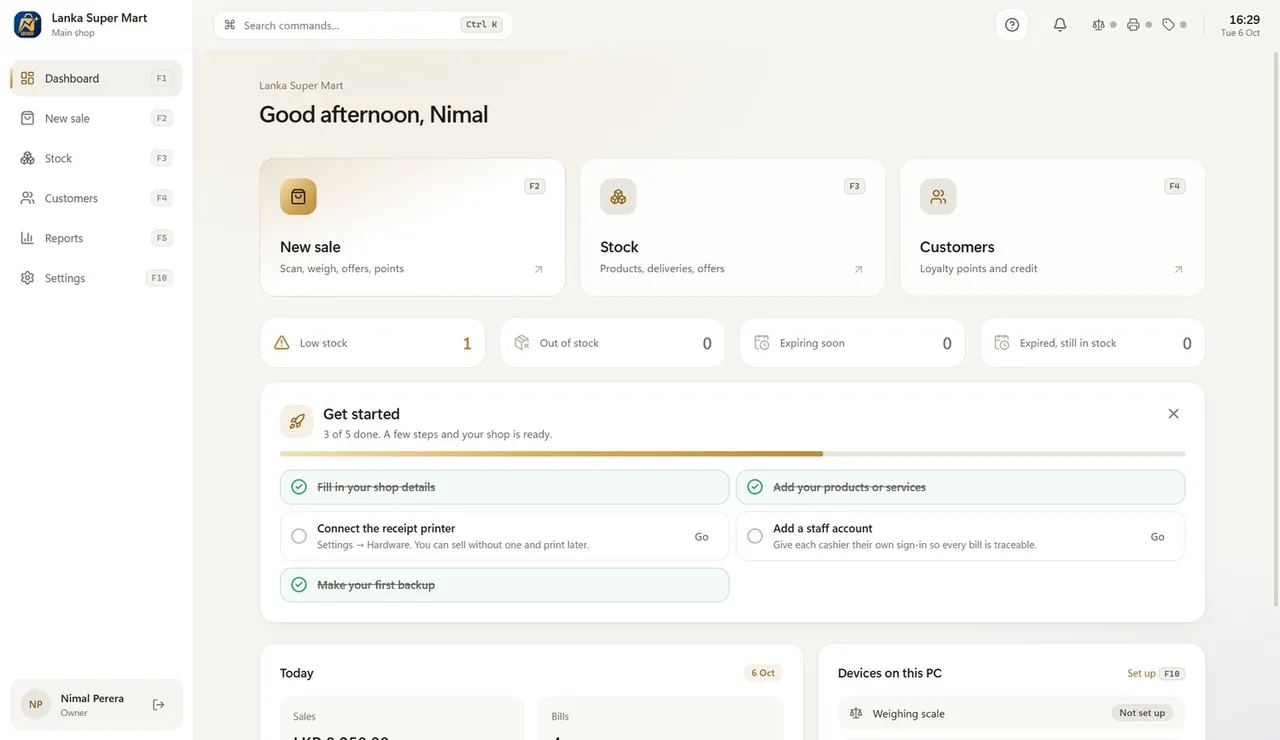
Billing, stock, customers, credit and reports, plus the tools your trade needs: gold rates, kitchen screens, hotel rooms, clinic tokens, sales reps and cheques. Works when the internet does not.
- No sign-up for the demo
- Real app, sample data
- Choose your business type
- 24
- business types
- 1
- installer for all
- 0
- internet needed to sell
- 7 days
- offline licence
Business types
5 categories. 24 business types. Find yours.
Your App ID decides which tools appear, so a restaurant never sees job cards and a garage never sees tables. Open any type to see how it works, then try it live.
Retail
Shops that sell products from shelves and stock rooms.
Food & Hospitality
Places where food, drink and rooms are served.
Services
Businesses that sell time, skill and bookings.
Health & Education
Clinics, opticals and institutes that keep records on people.
Wholesale
Distributors who sell in bulk to other shops, on credit.
01
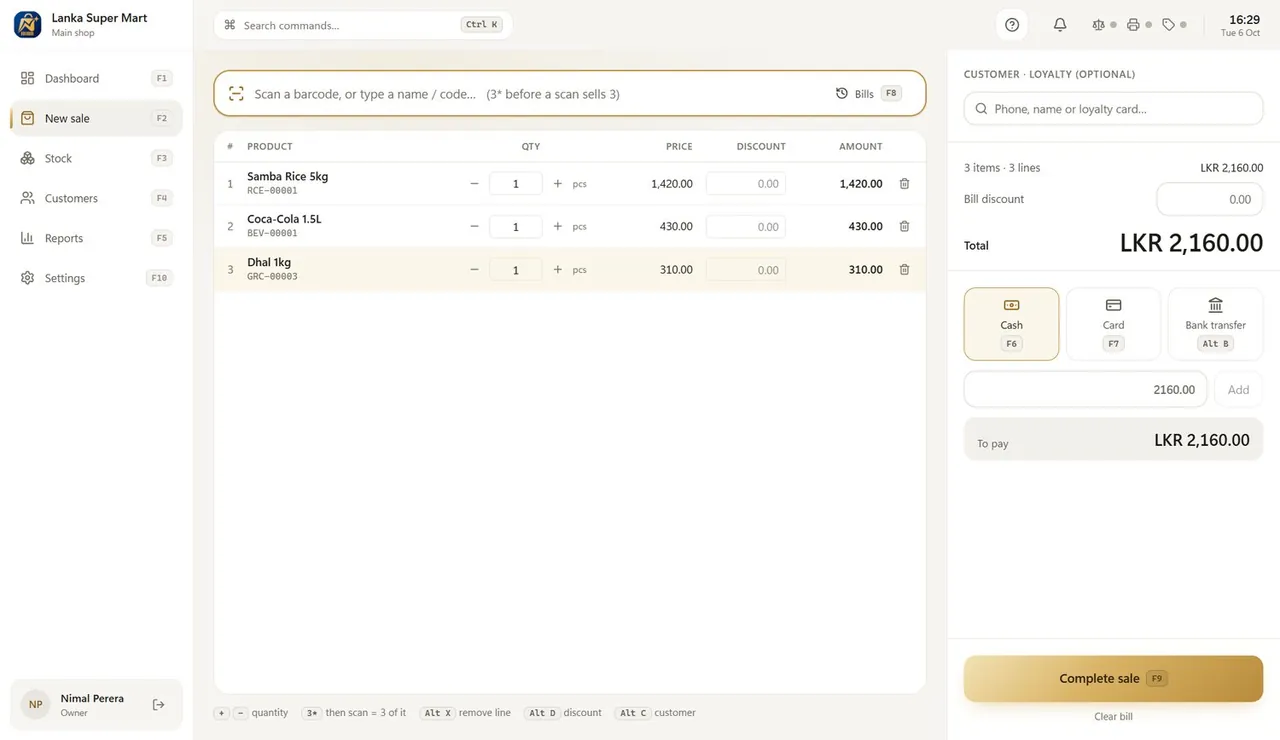
A till that keeps up with your queue
Scan, type, press Enter. Weighed goods, offers, loyalty points, split payments and a receipt in seconds, all from the keyboard or the touch screen.
- Barcode and name search
- Offers, bundles and loyalty
- Cash, card and bank transfer
02
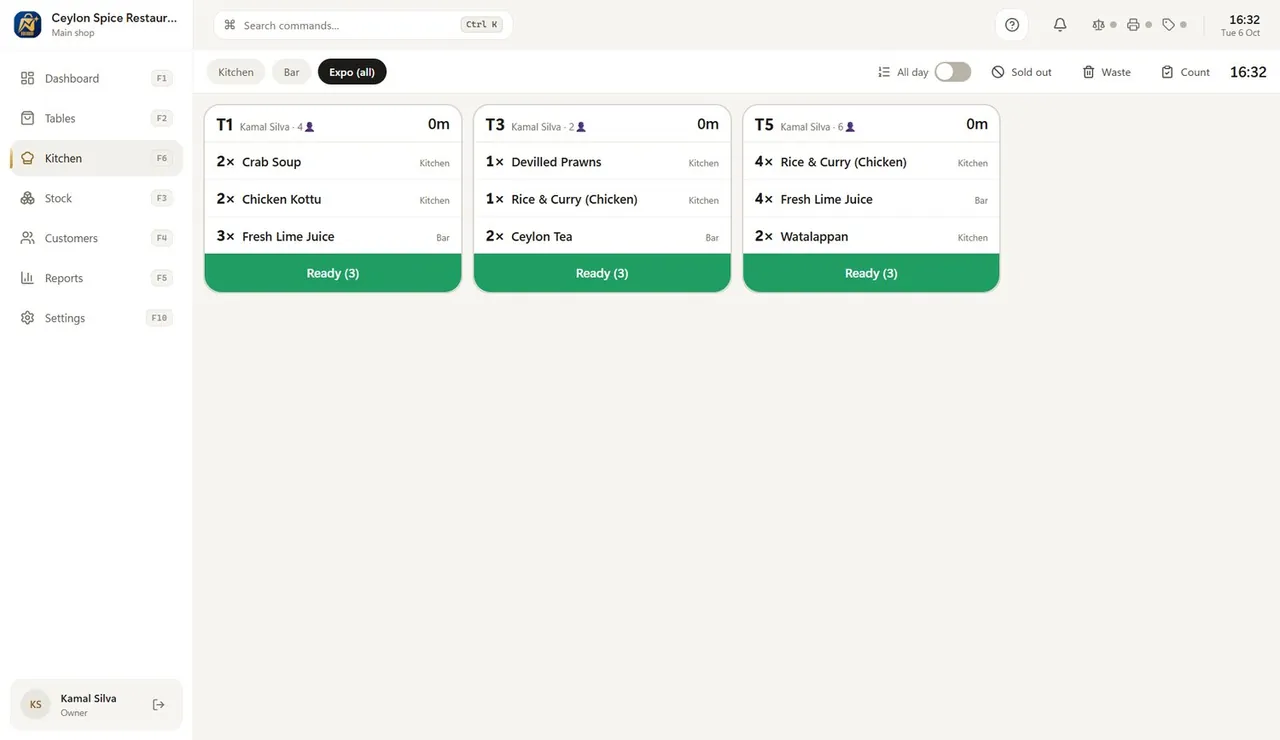
Your trade, built in
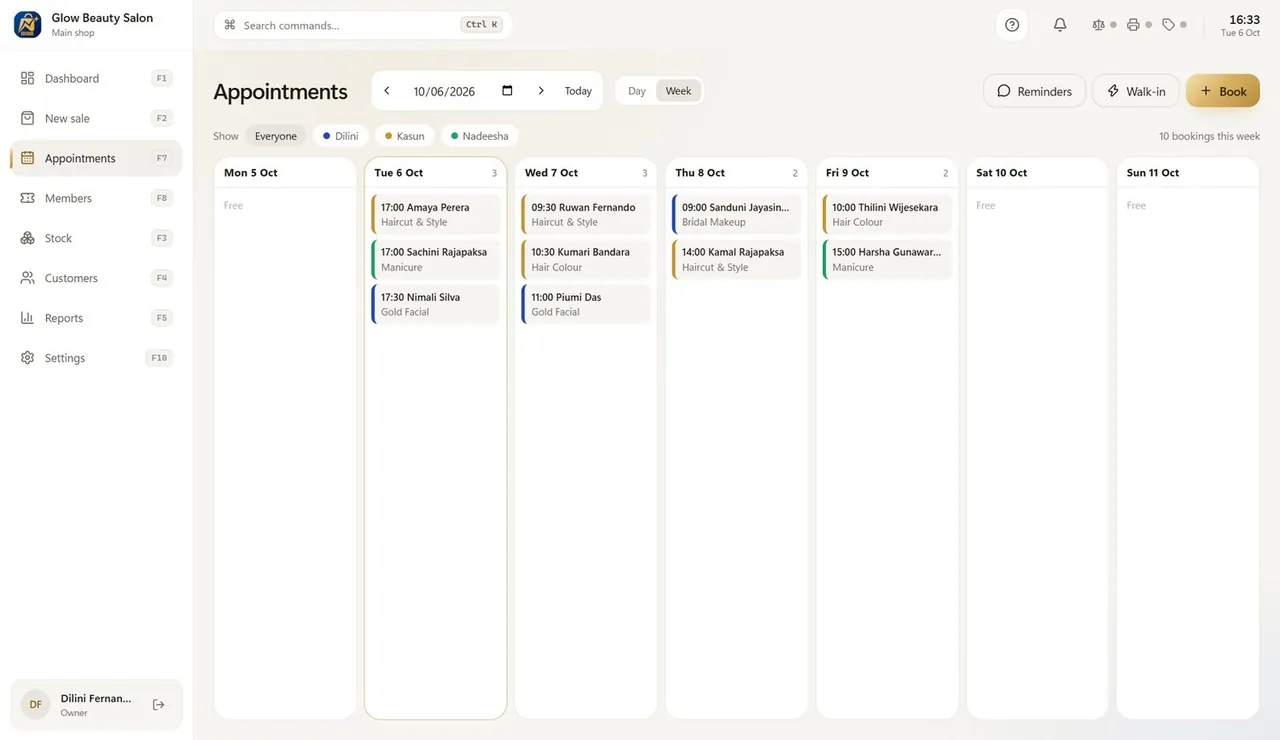
Restaurants get a table map and a kitchen screen. Hotels get rooms and a guest folio. Salons get a calendar. Clinics get tokens. You see only what your business uses.
- Waiter phones on your WiFi
- Appointments and memberships
- Doctor sessions and prescriptions
03
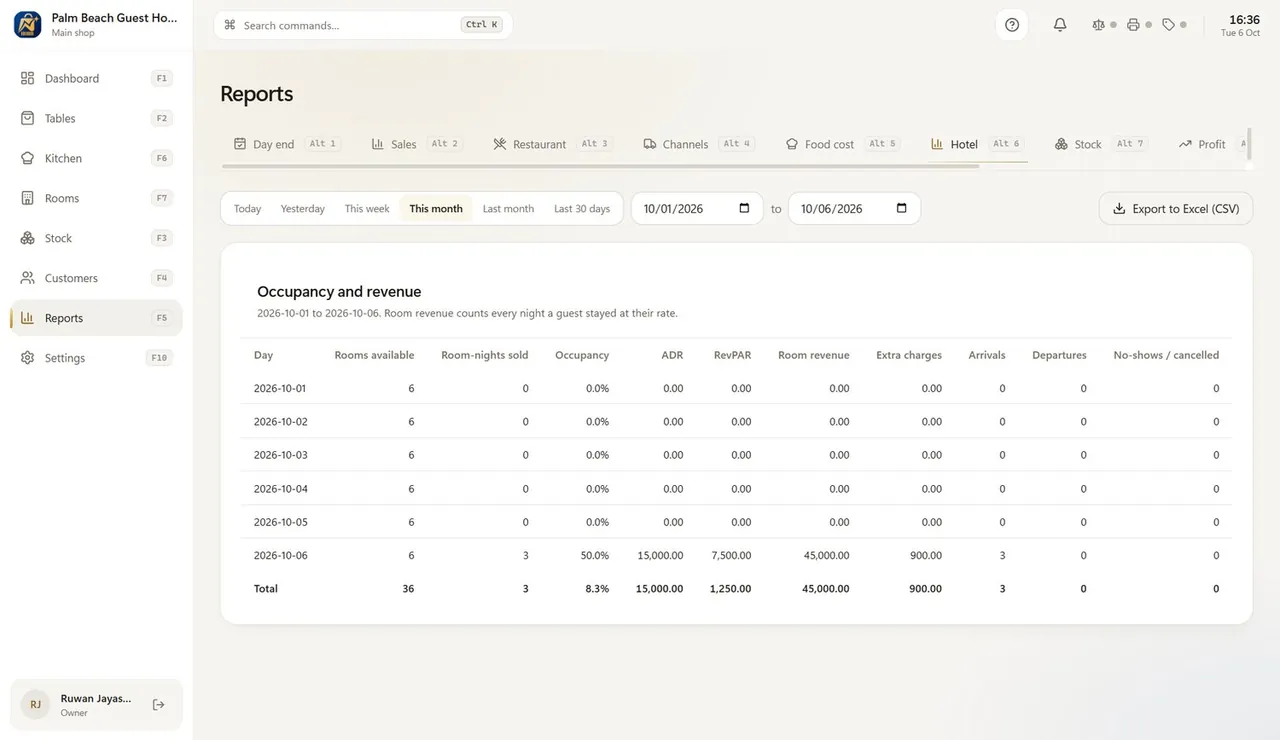
Know your numbers every night
Close the day with a cash count. See sales, discounts, voids and what customers owe. Export any list to Excel. The owner can see every branch from anywhere.
- Day-end with cash count
- Reports for your business type
- Automatic daily backups
Every business gets
The basics, done properly.
Fast billing
Scan a barcode or type part of a name and press Enter. Type 3* before a scan to sell three. Line discounts, bill discounts, cash, card and bank transfer, split payments, and a receipt in seconds. Everything works from the keyboard (F1 to F10, Ctrl K to find anything) and from the touch screen.
Stock you can trust
Products with barcodes and units, low-stock alerts, deliveries from suppliers that update cost and quantity, stock adjustments with a reason, and a history of every movement. Batches, expiry, serial numbers and variants switch on for the businesses that need them.
Customers, credit and loyalty
A customer file with bills, loyalty points and what they owe. Sell on credit, receive part payments, send WhatsApp reminders with one click. Offers, bundles and multi-buy deals.
Day-end control
Close the day with a cash count. See sales by payment method, discounts, voids and credit given, so the drawer always matches the books. Every void needs a reason and is logged.
Reports that answer questions
One Reports screen, grouped by what you want to do: day end, sales, items sold, stock position, profit and customers who owe. Every report opens on screen, saves as a PDF with your shop name and letterhead, and exports to Excel (CSV). Each business type adds its own reports: hotel occupancy, doctor income, rep performance, customer aging and more.
VAT, SSCL and NBT tax invoices
Switch VAT on and every bill, in every business type, becomes a proper tax invoice: your TIN, a running IRD invoice number (YYMMM_CODE_00001), the value of supply, VAT by tax class (standard, zero rated, exempt) and the buyer's TIN. Cancel a bill and it gets a credit note number. An A4 tax invoice PDF can be saved or printed for any bill.
IRD-style VAT report as a PDF
Output tax, credit notes, input tax from supplier invoices and the VAT payable, with the Schedule 01, 02 and 04 listings attached, plus SSCL and NBT worked out per quarter. It is a designed PDF carrying your shop's name, ready to give to your accountant. Check it against the IRD's current forms before filing.
Accounting export: Tally and QuickBooks
One place for everything your accountant asks for: a Tally XML file, a QuickBooks journal CSV, and sales and purchases registers. Ledger names are set once in Settings so they match your books.
People and permissions
One sign-in for every person, so every bill has a name. Owner, manager, cashier, waiter and kitchen roles decide who may see profit, change prices or void a bill. Five wrong passwords lock an account for a while. Waiters and kitchen staff sign in with a PIN on their own phone or screen.
Printers, scales and drawers
58 mm and 80 mm thermal receipt printers (USB, Wi-Fi, Bluetooth, network or COM port), barcode label printers (Zebra ZPL and TSC TSPL), serial weighing scales and cash drawers. A Save-as-PDF mode shows exactly how a receipt or tag will look at its real size, without a printer.
Backups and data tools
An automatic backup every day, one before every update, manual backups and one-click restore. Copies you take away on a USB stick are password protected. Import products and customers from Excel with a preview, export any list, check the database and verify a backup. Nothing is applied until you confirm.
Your cloud, your branches
Sales sync to a private cloud database that belongs to your business alone, so the owner can see every branch from anywhere. Branches and extra PCs are added with a one-time key.
Always up to date
New versions download quietly in the background and install at the next sign-in, after a backup. The Help button (?) explains each screen in plain steps, and a Get-started checklist guides a new shop.
What makes it different
Designed around how Sri Lankan shops really work.
One installer, 24 business types
There is a single download for every client. Your App ID decides which business you are and which tools appear, so a restaurant never sees job cards and a garage never sees tables. Add a feature later and it is switched on from LankaNova's side, with no re-install.
Built to work offline
Sales are saved on your own PC first. The licence is checked every hour and stays valid for seven days with no internet, so a power cut or a broken router never stops the till.
Mobile access, ready when you are
Phones and tablets join your shop WiFi with a 6-digit code: sales reps take orders, housekeeping marks rooms clean, doctors call the next patient, front desk checks guests in, and you see today's numbers. Each device kind can do only what its job needs. Switched on per client.
Waiter phones, kitchen screens and token TVs
Restaurants and cafés connect waiter phones, kitchen displays and a customer token board over the shop WiFi. No cloud needed, no monthly app.
Signed updates
New versions download quietly in the background, are checked against a digital signature, and install at your next sign-in after a backup. A file that was changed on the way is thrown away, never installed.
A licence that cannot be copied
Your licence is digitally signed and tied to your PC and your shop, so it cannot be copied to another PC, edited, or stretched by changing the Windows clock.
Security in layers
Strong sign-in with growing lock times, role-based permissions, a tamper-evident activity log, password-protected backup copies, a hardened program, signed updates and a private cloud per business. Chapter 4 explains each layer in plain words.
Made for Sri Lankan shops
Rupees, 22K and 18K gold with hallmark and wastage, channelling tokens, cheques with deposit dates, sales routes and reps, WhatsApp reminders, channelling-style queues and local delivery apps (PickMe, UberEats). Local support in Kandy.
Works offline
Power cut? Router down? The till keeps selling.
Phones and tablets
Reps, waiters, doctors and housekeeping on your WiFi.
Your data, your PC
A private cloud copy for the owner, never required to sell.
Live demo
Don't read about it. Use it.
The demo is the real app running in your browser with sample data for the business you pick. Ring up a sale, book an appointment, open a table. Nothing is saved and nothing can break.
Get it
Install in minutes.
- 1
Download
Open the download page and press Download. The file is called LankaNova-POS-Setup-1.x.x.exe (about 110 MB).
- 2
Install
Double-click the file. If Windows shows 'Windows protected your PC', press More info, then Run anyway. Choose the folder (the default is fine) and press Install. A desktop shortcut is created.
- 3
Activate
Open LankaNova POS SYSTEMS. On first start it asks for the App ID (like LNP-7K2MQX) and the activation key (like ABCD-EFGH-JKMN) printed on your LankaNova activation sheet. Connect to the internet for this step only. Each key works once, for one PC.
- 4
Create the owner account
Type the shop name, address, phone and, if you like, upload your logo. Then create the owner's username and a strong password. The owner can add managers and cashiers later.
LankaNova POS SYSTEMS 1.9.6
For Windows 10 and 11 (64-bit) · 115 MB · published 11 Oct 2026
POS 1.9.6 - tax invoices and a new Reports hub - VAT / tax invoices for every business type: TIN, IRD running invoice number, VAT by tax class, buyer TIN, credit note numbers on cancelled bills, A4 tax invoice PDF. - IRD-style VAT report (Schedules 01, 02, 04) as a PDF with the shop name, plus SSCL and NBT per quarter. - Accounting export in one place: Tally XML, QuickBooks journal CSV, sales and purchases registers. - Reports screen rebuilt: grouped list, every report on screen, as PDF and as Excel CSV. Old duplicate tabs removed. - Settings, Tax and VAT: TIN, rate, invoice code, SSCL/NBT, accounting ledger names.
Questions
Good to know.
Still unsure? Message us on WhatsApp and we will answer the same day.
Ask on WhatsAppDoes it need the internet?
Only to activate, to sync to your cloud, and to renew the licence at least once every seven days. Selling, printing and reports work offline.
What if my PC breaks?
Install on a new PC, ask LankaNova for a new activation key, and restore your latest backup (or sign in to your cloud). Nothing is lost if you keep backups.
Can I run it on two PCs?
Yes. Each PC gets its own key from the dashboard. Branches sync to the owner's cloud view.
What does 'locked' mean?
If a payment is more than the grace days late, or LankaNova suspends the account, the POS shows a lock screen. Your data is safe. Pay, then press Check again and it opens immediately.
Where is my data?
In one file on your PC (LankaNova-POS-Systems-[your shop name].db in Documents, pos_system). Backups are in the backups folder next to it.
Can I change my business type?
A client's type is fixed by the App ID. If you open a different kind of business, LankaNova issues a new App ID.
The receipt is cut off or wrong size.
Settings, Hardware: set paper width (58 or 80 mm), and check the preview in Settings, Shop & brand. It shows exactly what prints.
Does it support VAT and tax invoices?
Yes. In Settings, Tax & VAT, enter your TIN and switch VAT on. Every bill then prints as a tax invoice with an IRD-style running number, in every business type, and cancelled bills get credit note numbers. Prices include VAT; products can be standard, zero rated or exempt.
Can it produce the VAT report for the IRD?
Yes. Reports, Tax and accounting, VAT report gives output tax, credit notes, input tax and VAT payable with the schedules, as a PDF with your shop name. SSCL and NBT are worked out per quarter. Please confirm the final figures with your accountant before filing.
Can I give my accountant Tally or QuickBooks files?
Yes. Reports, Tax and accounting, Accounting export makes a Tally XML file, a QuickBooks journal CSV and sales and purchases registers for any period.
Can a cashier change or delete sales to hide money?
No. A bill cannot be edited after it is paid. It can only be cancelled (voided) with a reason, by someone allowed to, and every void, discount and price change is written to the activity log with the person's name and the time. The log is chained, so a removed or edited entry is detected.
What if my PC is stolen?
Turn on Windows BitLocker (free in Windows Pro) so the disk cannot be read without your sign-in. Copies you keep on a USB stick are password protected. Install on a new PC, activate with a new key and restore your latest copy.
Can someone copy my POS to another PC?
No. The licence is tied to your PC and your shop, and a copy will not accept it. Moving to a new PC needs a new activation key.
A virtual 'Print to PDF' printer gives a broken page.
Receipt and label printers need real thermal printers. To preview, choose Save as PDF (test) as the connection type.
Ready to run your shop on LankaNova?
Tell us your business type. We create your App ID and activation key and help you get set up.