
A · RetailReady
Jewellery
Gold and jewellery shops where every piece is different and the price follows the day's gold rate.
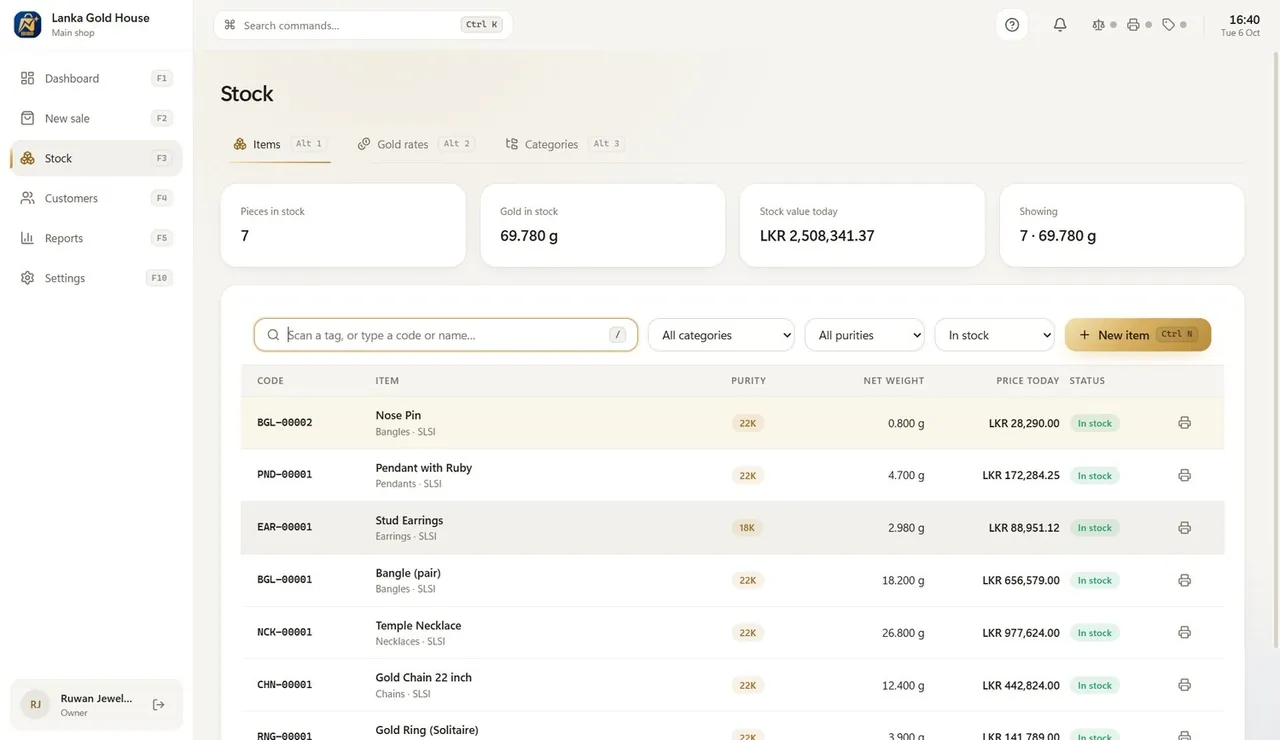
What you get
- Pieces, not quantities: each item has its own code, weight and history
- Gold rates by purity with rate history
- Wastage (as %) and making charge (fixed or per gram)
- Stone weight and stone value
- Hallmark number and supplier on every piece
- Weighing scale straight into the item form and the till
- Tag printing (Zebra or TSC) with barcode
- Old-gold exchange
- Job cards: repairs and custom orders with advances
- Customer credit and WhatsApp reminders
How a day works
- 1Set today's gold rate for 24K, 22K and 18K once in the morning (Stock, Gold rates).
- 2Add each piece with its weight, stone weight, purity, wastage and making charge. A tag with a barcode prints for it. The tag shows the piece, not the price.
- 3At the till, scan the tag. The price is worked out from today's rate: net weight x rate + wastage + making charge + stones.
- 4Taking old gold in exchange? Use the Old gold exchange button, weigh it and the value comes off the bill.
- 5Repairs and special orders go on a job card with a ready date and an advance. Collecting the job bills it and deducts the advance.
- 6Close the day: the day-end shows gold sold in grams, old gold taken in, and the cash to count.
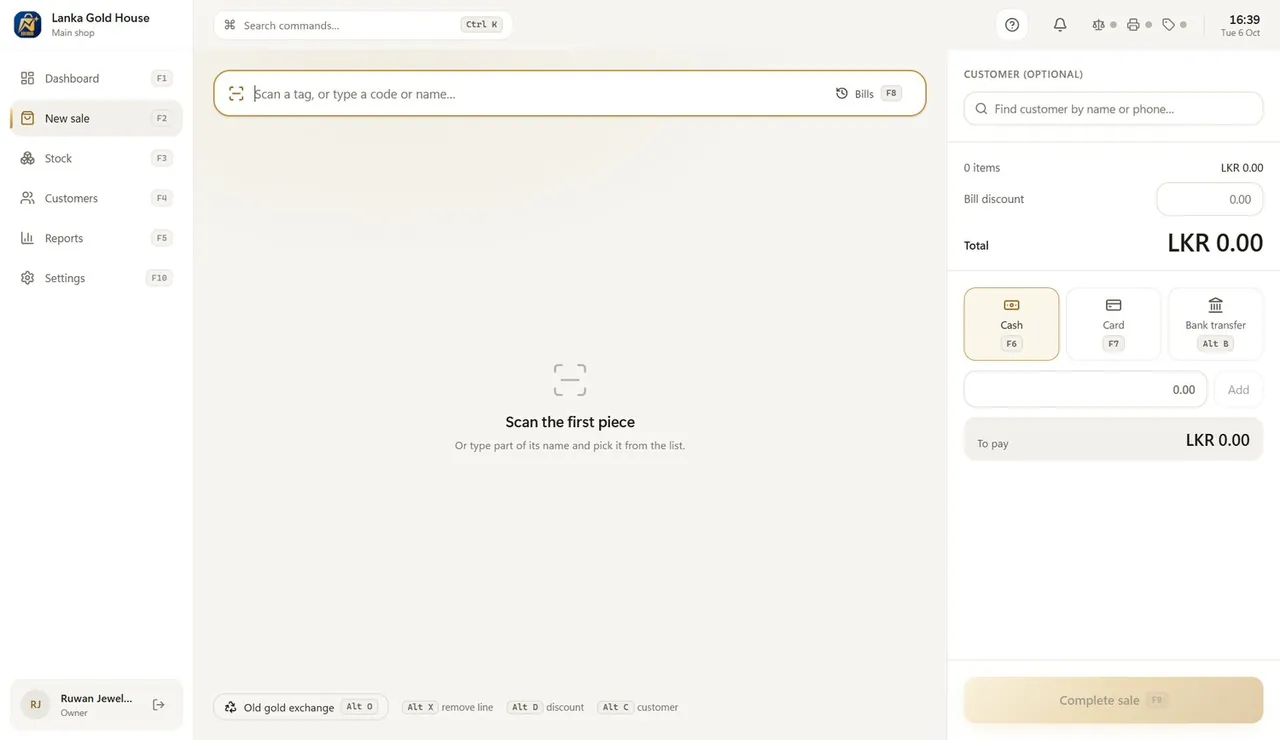
Screens you will use
- Dashboard
- New sale
- Stock (Items, Gold rates, Categories)
- Customers
- Job cards
- Reports
Starting categories
RingsChainsNecklacesBanglesBraceletsEarringsPendantsOther
Rename, add or remove any of them.
Tip
Because the tag carries no price, you never have to re-tag stock when the gold rate moves.