
D · Health & EducationReady
Clinic / Channelling
Doctor channelling centres and family clinics.
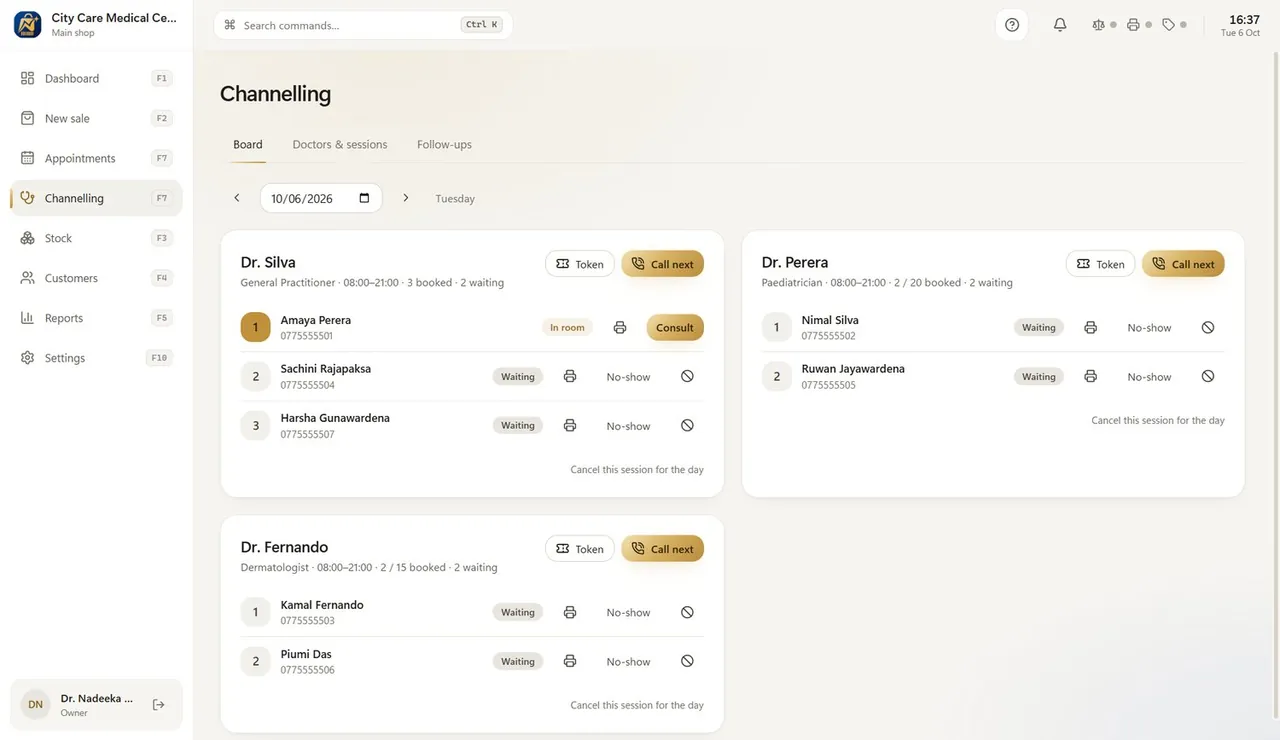
What you get
- Doctors, sessions and numbered tokens
- Waiting list and Call next
- Consultation notes, vitals and prescriptions
- Medicine dispensing from stock
- Doctor and centre fee split
- Follow-up reminders
- Mobile access for doctors and reception
- Clinical records stay on the shop PC
How a day works
- 1Add doctors with their speciality, consultation fee and the centre's share. Set weekly sessions (for example Tuesday 5 pm to 8 pm).
- 2Reception gives each patient a numbered token. A slip prints with the number.
- 3Call next brings the next waiting patient in. The doctor opens Consult, writes notes, vitals and a prescription.
- 4Bill at till adds the consultation fee and any medicines dispensed. Stock goes down.
- 5Follow-ups lists patients to remind, with a WhatsApp link.
- 6The Clinic report shows each doctor's income and the centre's share.
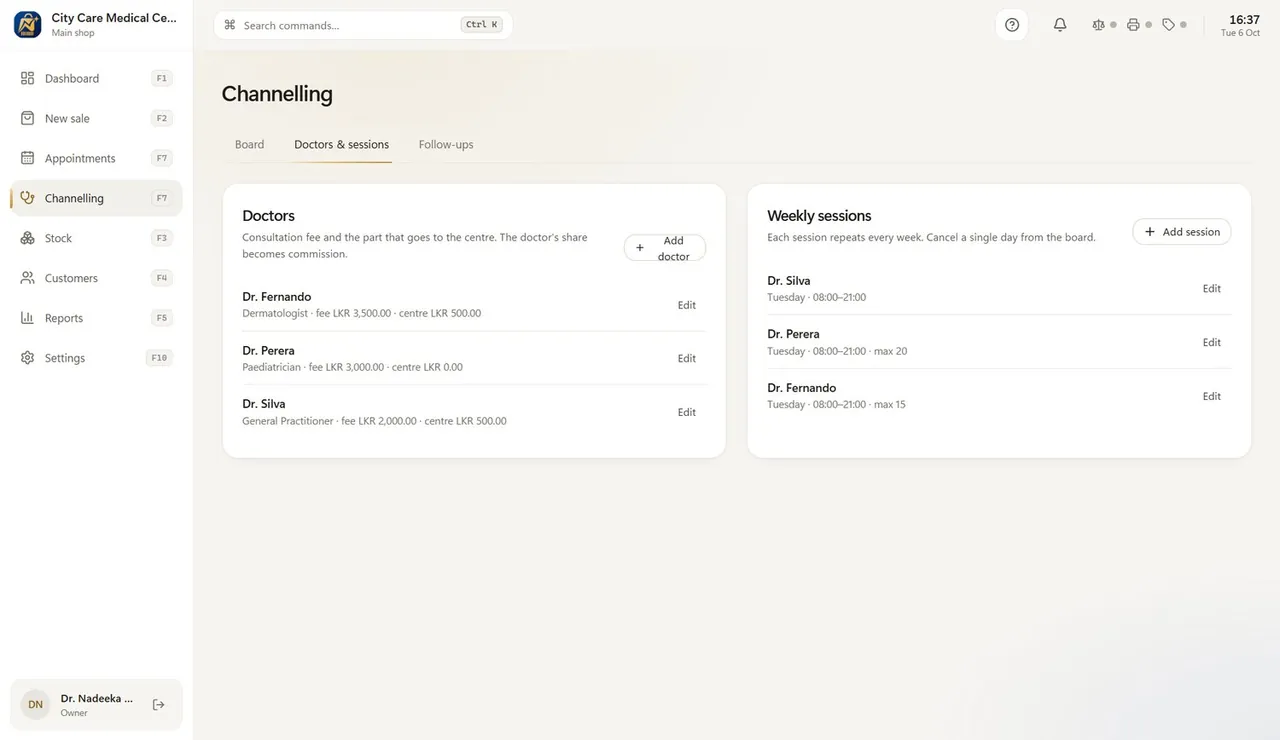
Screens you will use
- Channelling (Board, Doctors & sessions, Follow-ups)
- Appointments
- New sale
- Reports (Clinic)
Starting categories
ConsultationsMedicinesProceduresLabConsumables
Rename, add or remove any of them.
Tip
Only the owner, manager and doctors you mark as clinicians can open medical notes. Everyone else sees tokens and bills only.