
B · Food & HospitalityReady
Hotel / Guest House
Hotels and guest houses with rooms, plus a restaurant, bar and room service.
What you get
- Room types, rooms and nightly rates
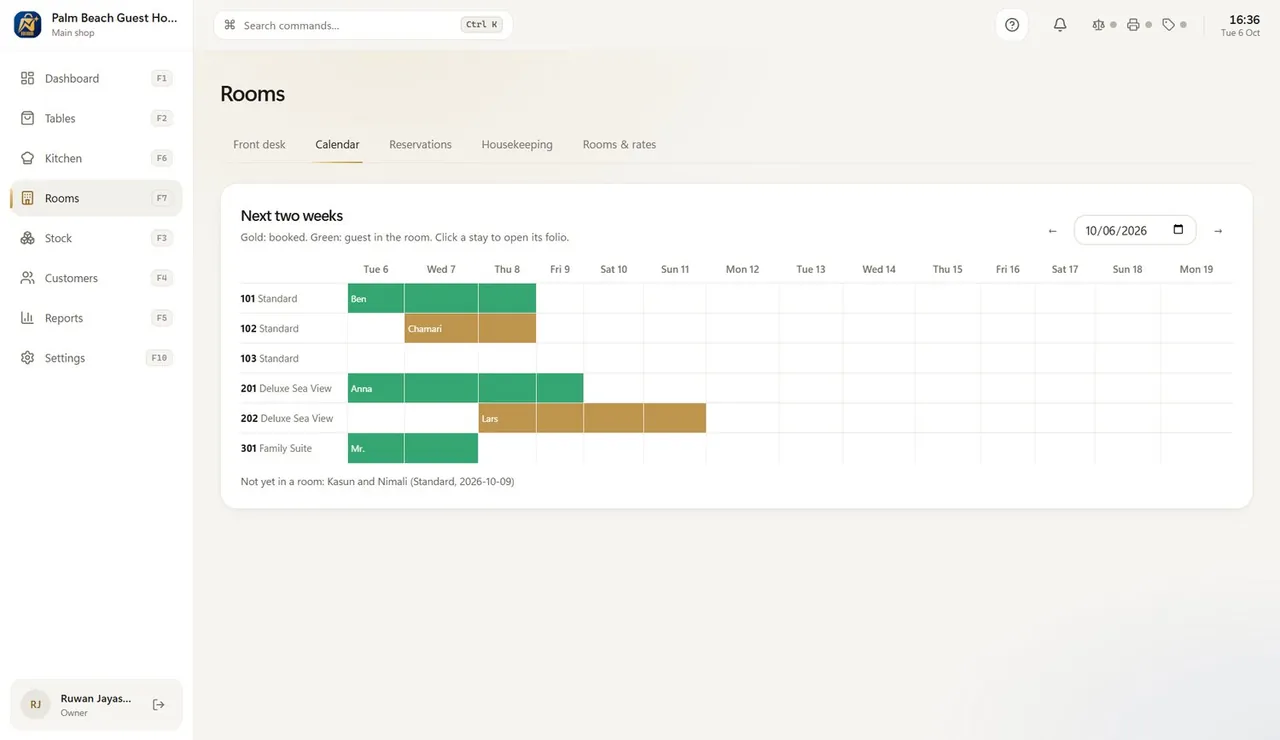
- Reservation calendar for the next two weeks
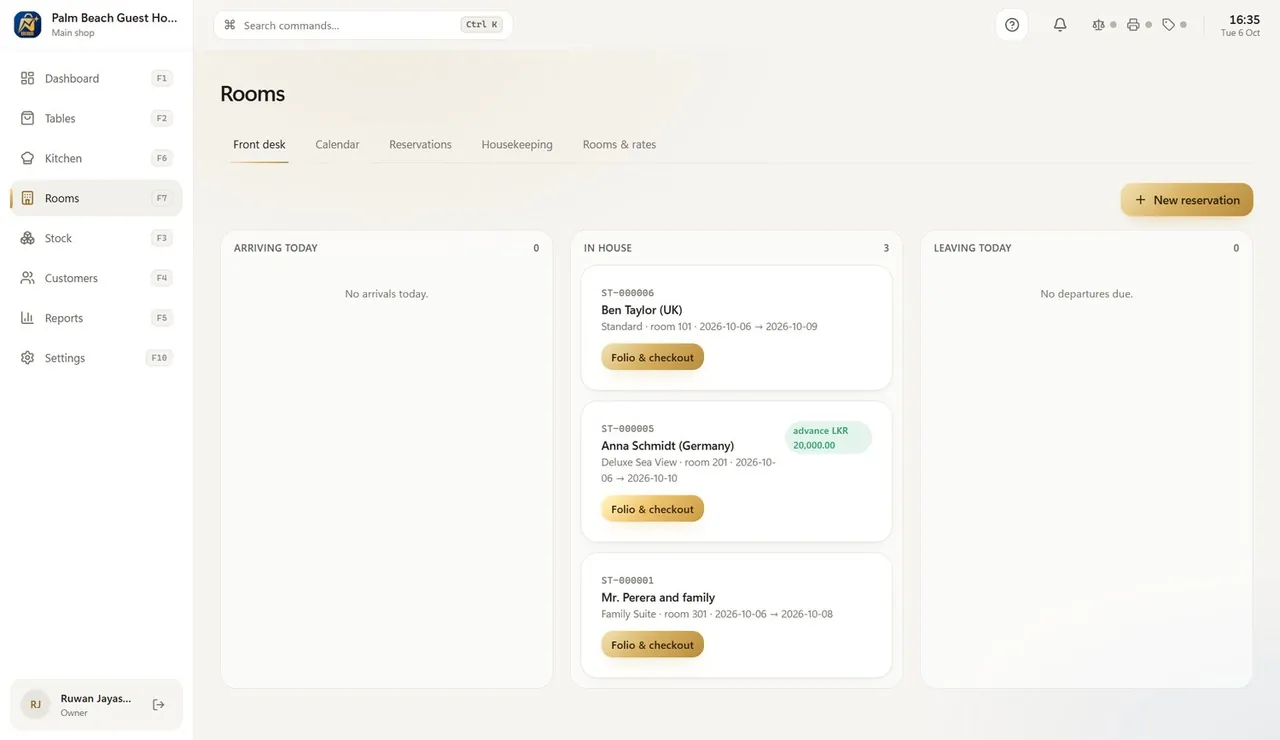
- Front desk: arriving, in-house and leaving today
- Guest folio with charges and advances
- Housekeeping board (clean, dirty)
- Restaurant, bar and room-service sales
- Hotel report: occupancy, ADR and revenue per available room
- Mobile access for housekeeping and front desk
How a day works
- 1Set up room types and rates, then rooms, under Rooms, Rooms & rates.
- 2Take a reservation: guest, room type, dates. The calendar shows availability. An unassigned reservation is given a room at check-in.
- 3On arrival, Check in picks a clean room. Take an advance if you like.
- 4During the stay, add charges to the guest's folio (minibar, laundry, restaurant). The housekeeping board shows which rooms are dirty and which are clean.
- 5At checkout, Folio & checkout bills the nights and all charges, deducts the advance and takes the balance. The room becomes dirty until housekeeping marks it clean.
Screens you will use
- Rooms (Front desk, Calendar, Reservations, Housekeeping, Rooms & rates)
- Tables and Kitchen
- Reports (Hotel)
Starting categories
RestaurantBarRoom serviceMinibarLaundry
Rename, add or remove any of them.
Tip
Give housekeeping a phone: they mark rooms clean as they finish, and the front desk sees it at once.