
A · RetailReady
Supermarket / Grocery
Supermarkets and groceries where speed, weighed goods and expiry dates matter.
What you get
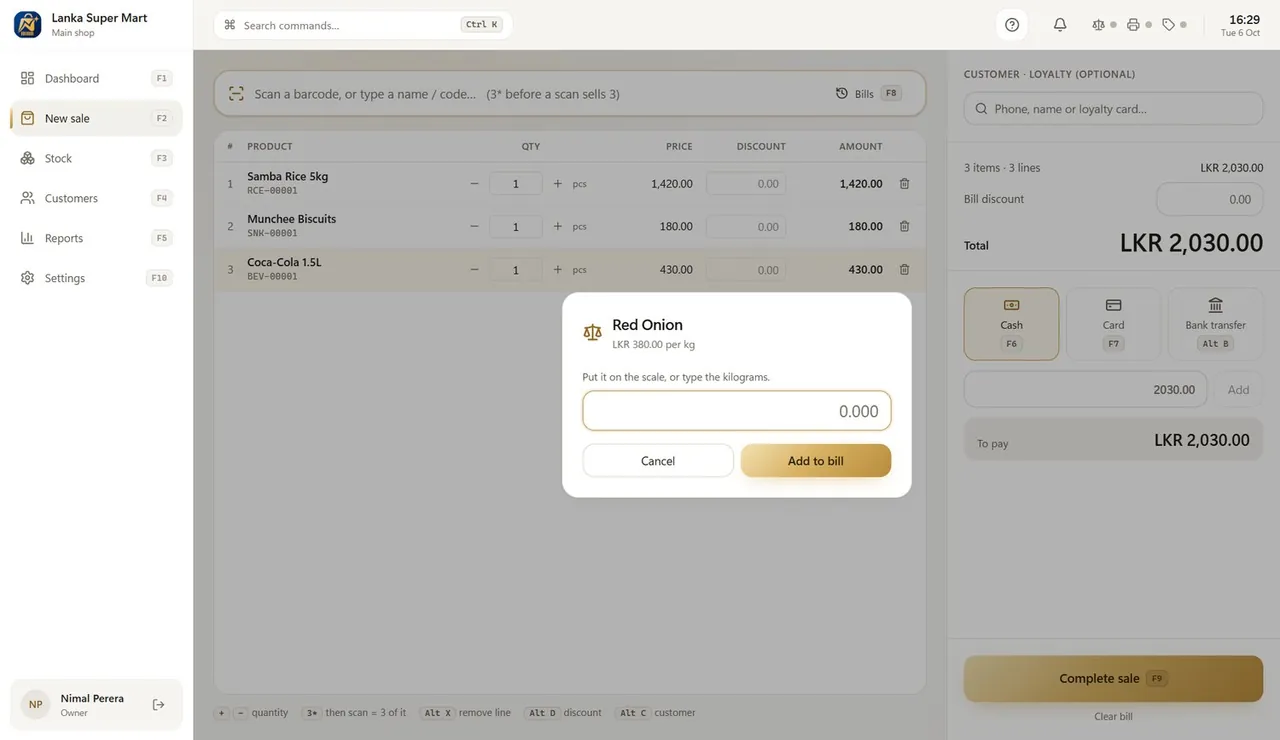
- Weighed items and scale barcodes (PLU)
- Batch numbers with expiry alerts
- Promotions, bundles, multi-buy and loyalty points
- Several barcodes per product
- Supplier deliveries (GRN) with cost
- Low-stock and expiry dashboard
- Excel import and export of the product list
- Credit customers
How a day works
- 1Add products with barcodes (several per product: single, pack, carton) and the unit: piece, kg, g, litre, pack.
- 2Receive deliveries under Stock, Deliveries: choose the supplier, enter quantity, cost and batch/expiry. Stock and cost update.
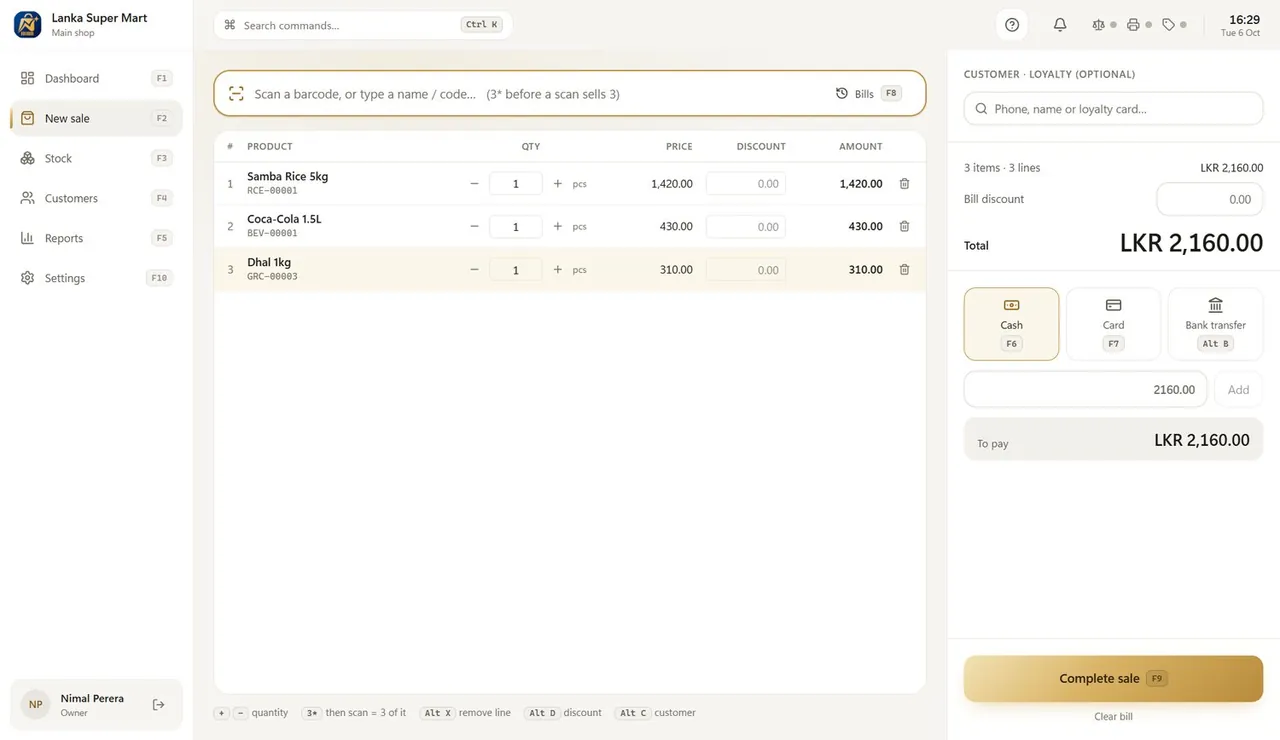
- 3At the till, scan or search. Weighed items (rice, onions) ask for the scale reading, or read the price from a label-scale barcode.
- 4Offers apply by themselves: percentage, amount off, multi-buy (3 for 2) and bundles. Loyalty points are earned and redeemed from the customer box.
- 5Low stock, expiring soon and expired items show as badges on the Dashboard.
- 6Close the day with the cash count.
Screens you will use
- Dashboard
- New sale
- Stock (Products, Deliveries, Offers)
- Customers
- Reports
Starting categories
GroceriesRice & GrainsBeveragesDairy & EggsBakeryFruits & VegetablesMeat & FishFrozenSnacks & SweetsHouseholdPersonal CareBaby
Rename, add or remove any of them.
Tip
Import your whole product list from Excel in Settings, Data tools. You get a preview and nothing changes until you confirm.