
C · ServicesReady
Salon & Spa
Hair, beauty, spa and bridal businesses that run on appointments and packages.
What you get
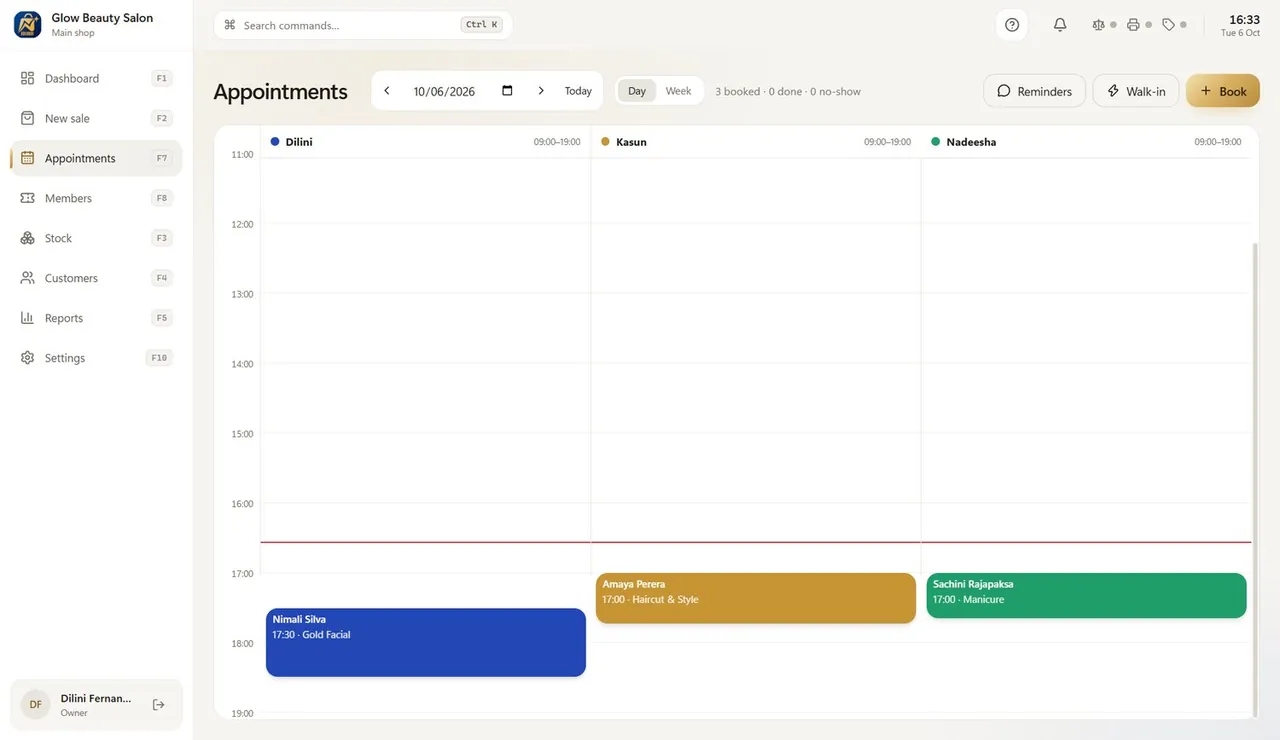
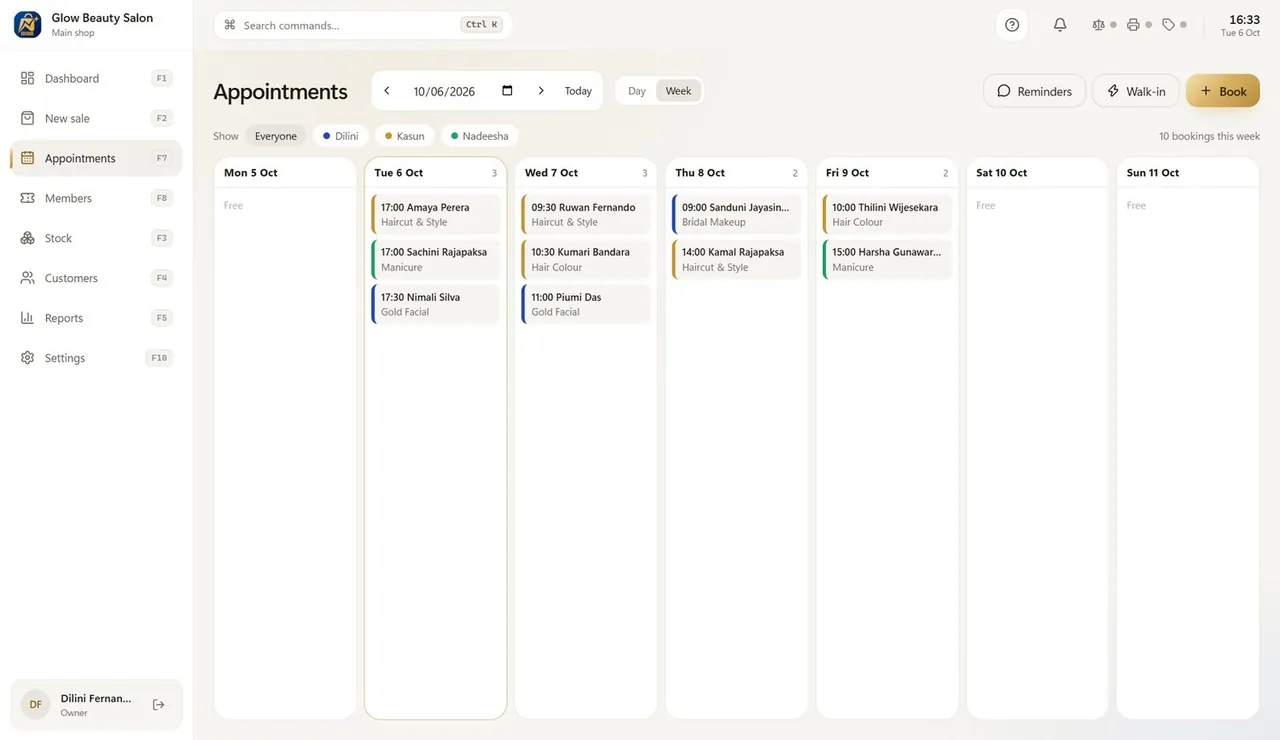
- Appointment calendar by staff member, day and week
- Drag-to-move, walk-ins and next-free-time
- Services with duration and buffer
- Packages and memberships with renewals
- Staff commission rules and payouts
- WhatsApp reminders
- No-show history
- Mobile access for bookings
How a day works
- 1Add your team with their working hours and colours. Add services with a duration (for example Haircut 45 minutes).
- 2Book in the calendar: pick the customer, the services and the staff member. Services run back to back; Find next free time suggests a gap.
- 3Drag a booking to move it to another time or person. Use the Week view to see the whole week for everyone or one person.
- 4When the customer arrives press Arrived, Start, then Checkout. Checkout opens the till with the services and the stylist credited for commission.
- 5Sell packages (5 facials) and memberships. A package visit is free at the till.
- 6Reminders lists tomorrow's bookings with a WhatsApp link for each.
Screens you will use
- Appointments
- Members (Check-in, Members, Plans)
- New sale
- Stock (services)
- Settings (Team & commission)
- Reports
Starting categories
HairSkin & FacialsNailsBridalPackagesRetail products
Rename, add or remove any of them.
Tip
Checkout from the appointment, not from a blank bill. The commission then goes to the right stylist automatically.